Configuration of the order terms
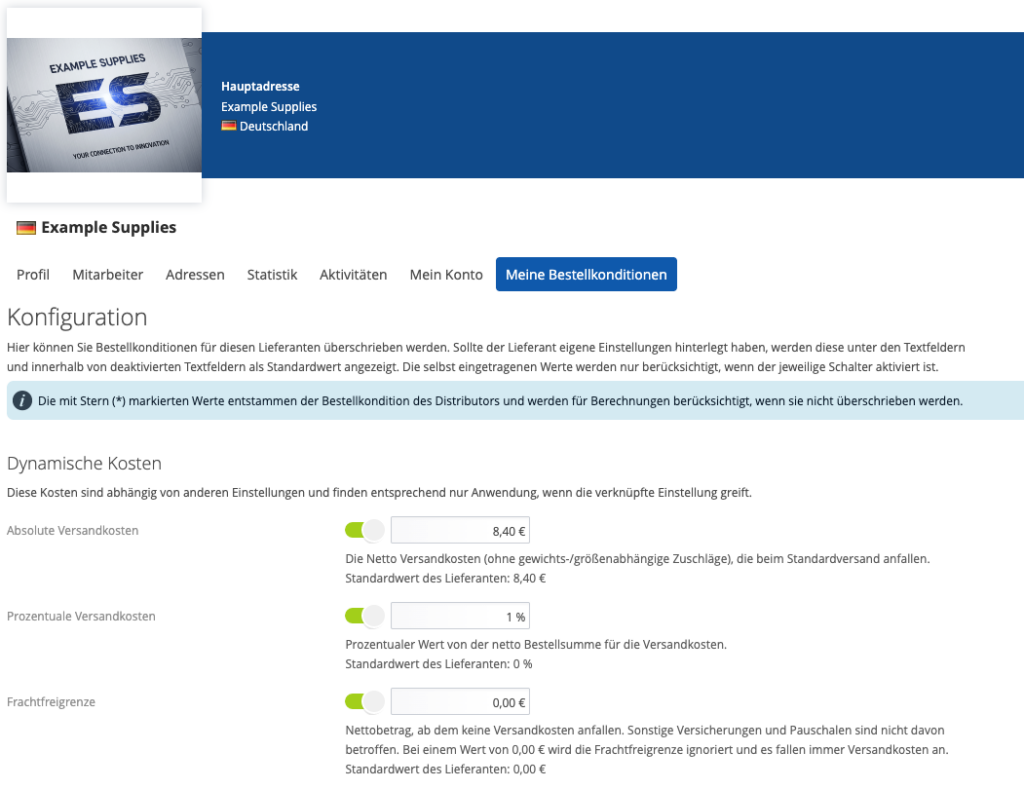
Under this tab you can configure the order terms for the respective supplier. If the supplier has already stored data in his configuration, these are visible there. However, you can also store your own order terms and thus overwrite those of the supplier as soon as your own conditions are activated.
Values for e.g. transport insurance, environmental flat rate, toll flat rate, packaging flat rate, freight allowance, minimum quantity limit, minimum quantity surcharge, minimum order value and fixed or percentage shipping costs can be stored here.
It is also possible to specify here whether a separate delivery note is to be used as standard and also to enter the costs for the order with a separate delivery note.
A default value can also be set here for the partial delivery, which is then already preset for every order.
If discount terms have been agreed with a supplier, these can be entered under ‘Discounts and bonuses’.
Additional costs in the source of supply list
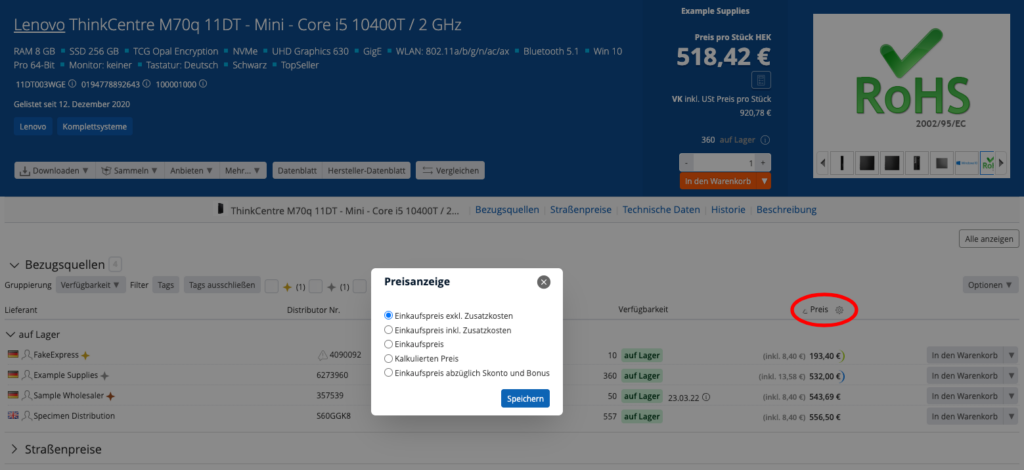
The additional costs stored in the order conditions are added to the price for each product in the list of sources of supply if the price display is set to ‘Purchase price incl. additional costs’. The display can be switched using the cogwheel icon in the price column. It is also possible to sort prices with additional costs.
Additional costs in the source of supply detail
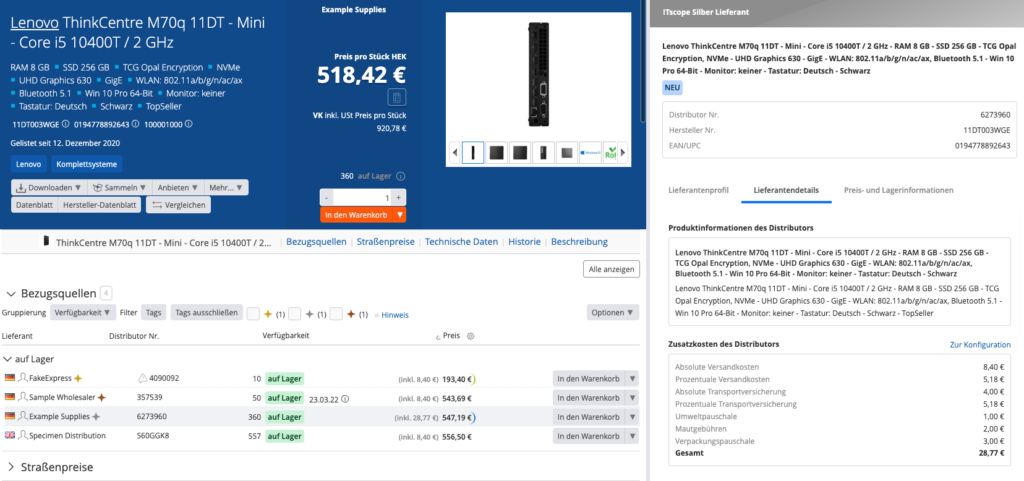
In the detail area of the sources of supply, the supplier details tab contains detailed information on the order conditions.
Additional costs in the shopping cart
The detailed additional costs in the shopping basket can be displayed by clicking the mouse over the info field for the additional costs.
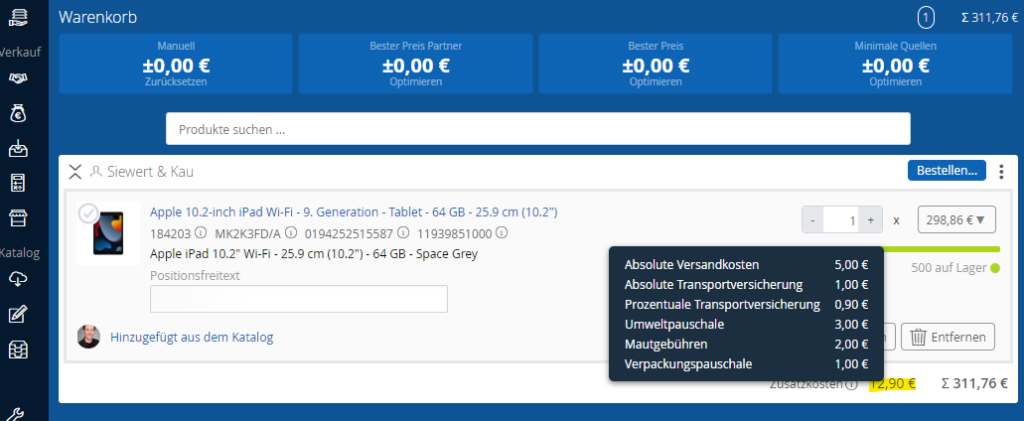
The optimisation currently only takes fixed additional costs into account, i.e. optimisation according to % shipping costs is currently not possible.
Additional costs at checkout
The detailed additional costs in the checkout can be displayed by clicking on the info field above the additional costs.
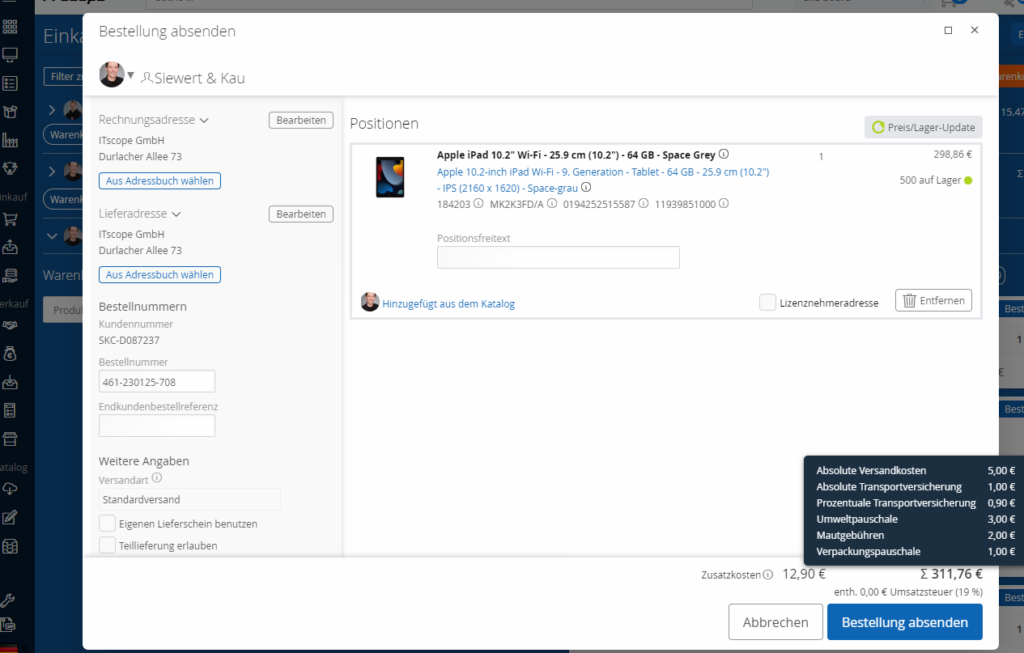
If, for example, costs are stored for your own delivery note, these will be added to the current additional costs when you select the option.
The additional costs are written into the order document when the order is sent, but are not binding on the supplier.
Discount conditions in the list of sources of supply
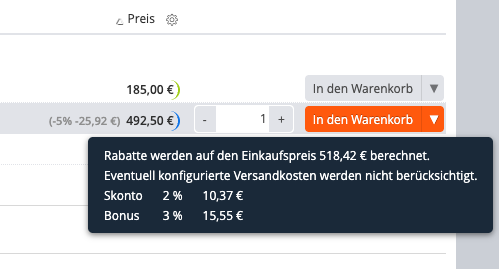
The stored discount conditions are added to the price of a product in the list of sources of supply if the price display is set to ‘Purchase price minus discount and bonus’. The display can be switched using the cogwheel icon in the price column. It is also possible to sort prices with discounts.
The discount conditions apply only to the product page and do not apply to the shopping basket or order process.
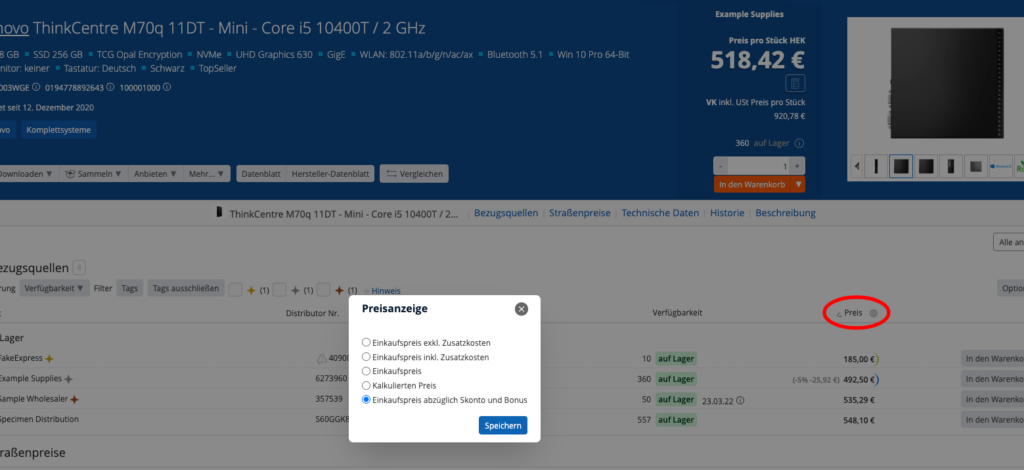
The individual discounts are broken down individually via mouse-over.