
In this view, you can enter individual products from the ITscope catalog and/or free-text items (1).
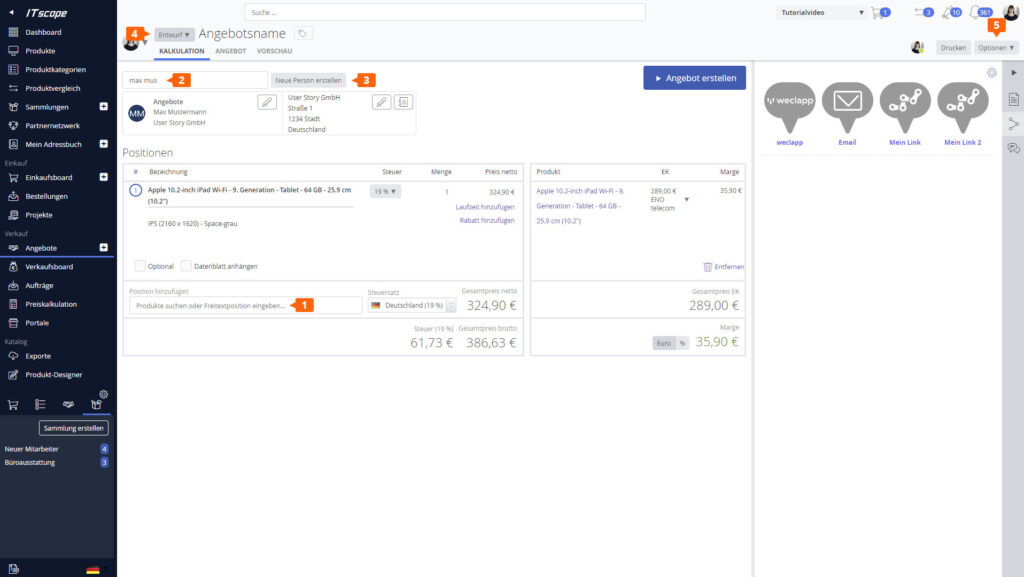
You can search for and select the recipient of the quote using the drop-down menu (2). If you are creating the quote for a new customer or contact, you can add them directly here (3). The quote’s status is always set to “Draft” initially (4); the status changes as the quote progresses.
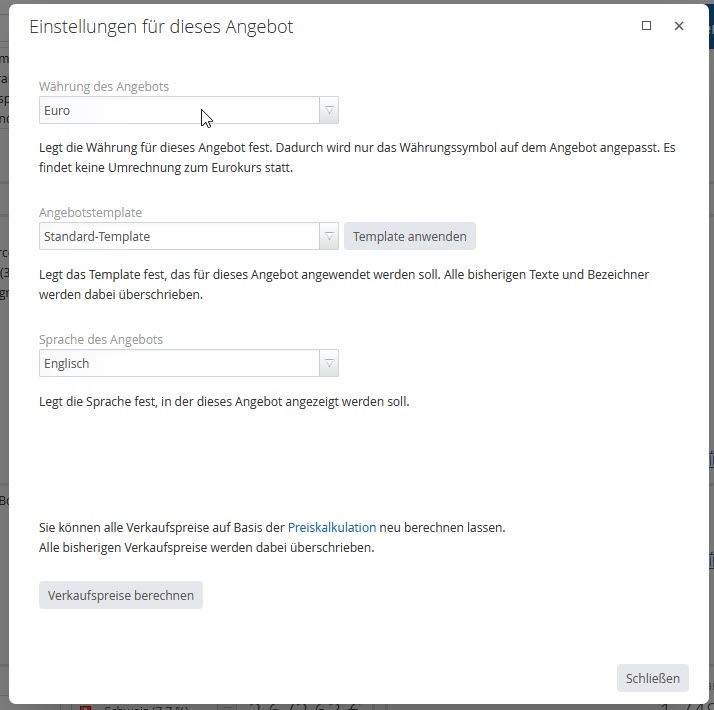
There are quote-specific settings (4) that you can configure and that directly affect the quote you have opened, such as: quote currency and quote language. Clicking the Print button generates an automatic PDF from the quote.
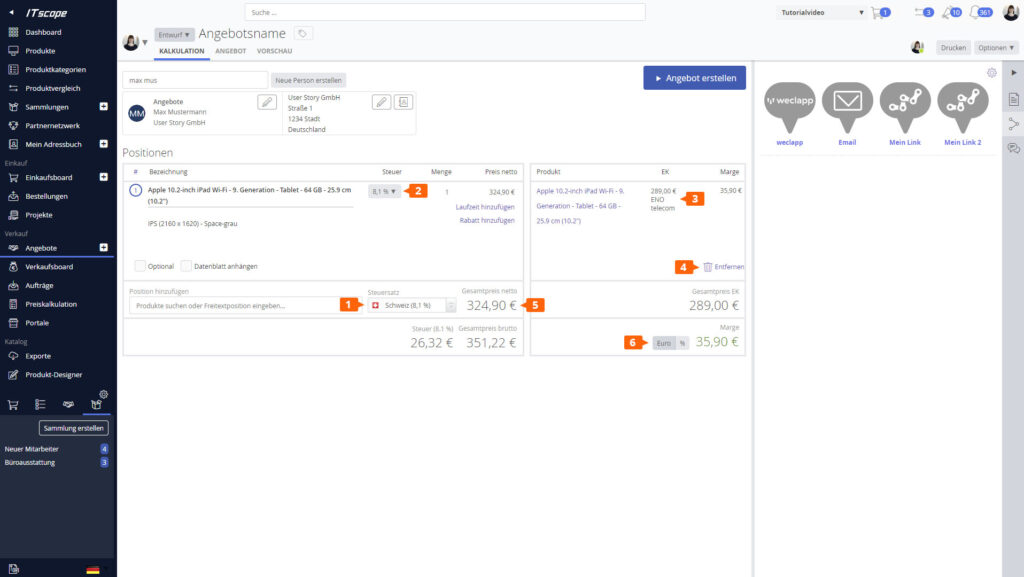
Define the general tax rate (1) and the item-specific tax rate (2) for this quote. On the right-hand side, you can select the desired supplier for ordering the product (3). The selected supplier/source of supply is used as the basis for calculating your margin.
Individual items can be deleted (4).
Surcharge and discount line items can be automatically created and calculated by adjusting the “Total Net Price” (5). Unlike a discount line item, a surcharge line item is not displayed to the customer in the quote view. It is listed as a separate line item in the quote.
In addition, you have the option to apply discounts at the line item level to reduce specific line items.
The margin can be displayed in euros and as a percentage (6). It is shown under item (6) as well as on the right side of the Activities section.
This way, you always have an overview of how many products your offer includes and what margin you used in your calculations.